Fisheye effect or a photo with a convex lens is a photographic technique that uses a unique lens for taking your subject in the form of a circular frame. If you do not have a fisheye camera, you can make it using Photoshop. The first step is to make the selection circle using the Elliptical Marquee Tool, Inverse the selection, fill the selection with black, inverse again the selection, give spherize distort filter, and the last crop the image to a square fisheye effect. Photos for the purposes of this Photoshop tutorial is taken from Pixabay.com. Simply follow the steps below:
Showing posts with label Photoshop. Show all posts
23 May 2022
18 May 2022
How To Make a Rubik's Cube Mosaics in Photoshop (+ Free Online Tool)
Here is a tutorial how to convert photos into a rubik's cube mosaics with Photoshop. Photo used for this Photoshop tutorial is taken from Pixabay. The first step is to add contrast and vibrant to photos to make it aesthetically more bright colors. The next step is to change the color of your photos into cartoons color using the surface blur filter and poster edges filter. The third step is to apply a pixelate filter mosaic. Adjust the size of the mosaic cubes depending on your photo. Next we create a new document with the same size with the filter mosaic size that has been created earlier. Give stroke with a size of 1 pixel, then create create a pattern using the command Define Pattern. And lastly apply the pattern in a new layer. Let's get started:
17 May 2022
How To Make a Spherical Collage in Photoshop
Here is a tutorial on how to create a spherical collage in Photoshop. The first step is to create a new document as a template, and then show the grid to help us creating rectangle shape easier, and then create shapes using the rectangle tool. The last step is to copy your photos right on top of the rectangle layer then create a clipping mask. Merge all layers and the last step is apply spherize filter. All photos used here were taken from Pixabay.com. Let's get started:
How To Make Sunset Effect in Photoshop
Photoshop has a Photo Filter Adjustment. Photo Filter is a tool that is easy to use and quick to make the picture becomes warmer or more shade. But if we want a more flexible arrangement, then the gradient map adjustment is a better choice. At this tutorial we will explained how to create a sunset effect using a gradient map. Photo used in this Photoshop tutorial is taken from Pixabay.com. Let's get started.
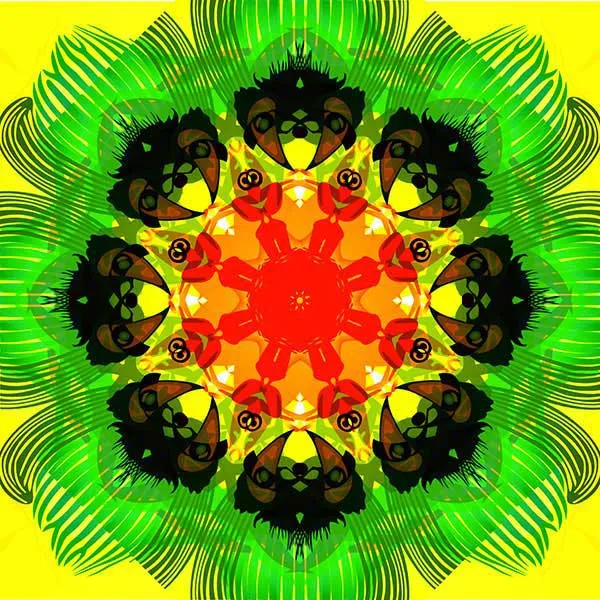
How To Make a Kaleidoscope Effect In Photoshop (+ Free Online Tool)
Kaleidoscope is a geometric shape composed of shapes and colors with a symmetrical arrangement. We will try to make a kaleidoscope digitally using Photoshop from a given image. Once the image is open in Photoshop, we'll build up the kaleidoscope by duplicating, rotating, and blending the layer several times to achieve symmetry. Rotate the image as many as 5 times each flip horizontally, flip vertically, and 3 times 45 degrees flip. Each rotation result will be on a separate layer so we can easily adjust its size. Let's get started!
Subscribe to:
Posts (Atom)